




 Zoho
Zoho





 Odoo
Odoo












 Mailing


Google Workspace / 17 min read / July 01, 2026 11:09 AM IST
Google Workspace Solutions by Tekvista Infosolutions Pvt Ltd: Secure Business Email, Cloud Collaboration, and Smarter Digital Workflows
In today’s business environment, communication is no longer limited to sending emails and storing files. Modern organisations need secure email, reliable cloud storage, video meetings, shared calendars, collaborative documents, controlled user access, mobile productivity, and strong administrative g...

By Chaitanya Chaturvedi · @chaitanya
Business Application Developer · BUSINESS
Developer by profession, builder by passion. At Agile Innotech, I create powerful web applications and digital platforms—from ecommerce systems to content-driven products. Always exploring smarter, faster ways to build for the web.
In today’s business environment, communication is no longer limited to sending emails and storing files. Modern organisations need secure email, reliable cloud storage, video meetings, shared calendars, collaborative documents, controlled user access, mobile productivity, and strong administrative governance. For growing companies, professional service firms, schools, manufacturers, retailers, healthcare organisations, startups, and enterprises, these tools are now part of the daily operating system of the business.
That is where Google Workspace becomes a powerful solution.
Tekvista Infosolutions Pvt Ltd helps businesses implement, configure, migrate, secure, and support Google Workspace so teams can work professionally from anywhere while keeping company data organised and protected. As an enterprise technology service provider, Tekvista works across cloud, cybersecurity, networking, mailing solutions, IT support, business applications, and infrastructure services. This makes Google Workspace implementation not just an email setup, but a complete productivity and communication transformation for modern businesses.
What is Google Workspace?
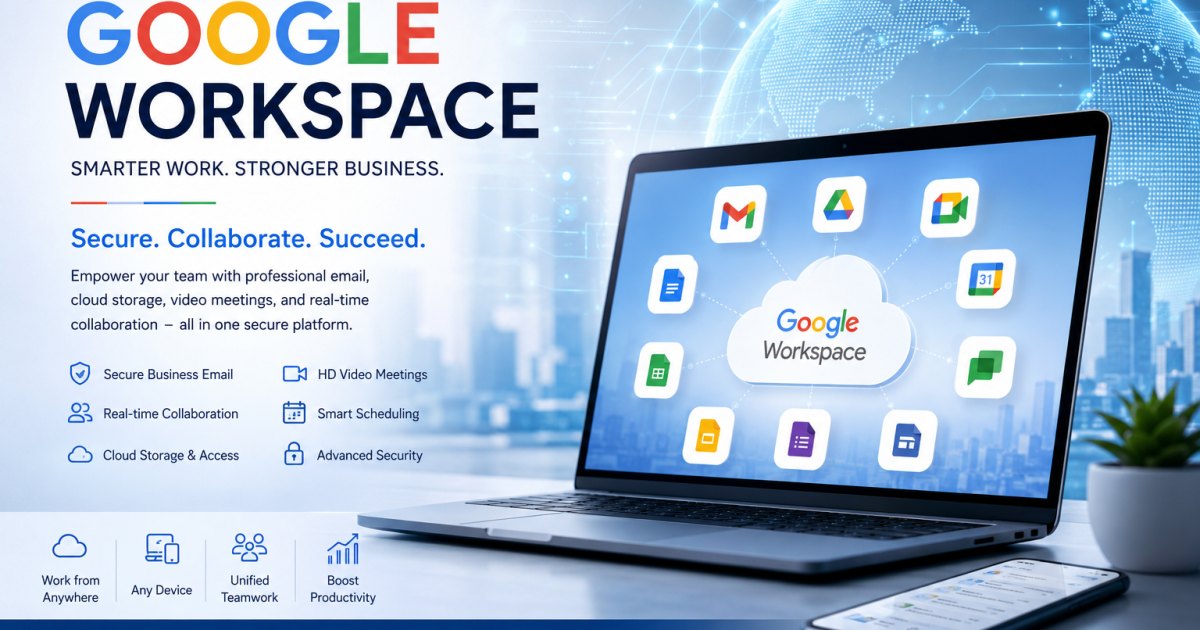
Google Workspace is Google’s cloud-based productivity and collaboration platform for businesses. It includes professional tools such as Gmail, Google Drive, Google Meet, Google Chat, Google Calendar, Google Docs, Google Sheets, Google Slides, Google Forms, Google Sites, Google Keep, and administrative security controls.
For businesses, Google Workspace provides custom business email such as:
name@yourcompany.com
This is much more professional than using a free Gmail address for official communication. It helps improve brand credibility, customer trust, employee accountability, and communication structure.
Google Workspace includes tools for custom business email, cloud storage, video conferencing, shared calendars, team messaging, documents, spreadsheets, presentations, forms, sites, and more. It also includes security and management options through the Google Admin console.
For Indian businesses, Google Workspace is available in multiple plans depending on storage, user count, AI features, meeting requirements, compliance needs, and security expectations.
Why Businesses Need Google Workspace
Many small and medium businesses start with free email accounts, scattered files, WhatsApp-based communication, personal drives, and unmanaged devices. This may work in the early stage, but as the organisation grows, it creates serious problems.
Common issues include:
Employees using personal Gmail accounts for official work
Business data stored in personal Google Drives
No central control when an employee leaves
Lost passwords and inaccessible emails
No proper backup or retention strategy
Files being shared without permission control
Poor brand impression because of free email IDs
No structured team calendar or meeting system
Difficulty working remotely or across branches
Weak protection against phishing, spam, and unauthorised access
Google Workspace solves these challenges by bringing communication, collaboration, storage, meetings, and access control under one professional business platform.
With Tekvista’s implementation support, the solution becomes easier to adopt because the business gets proper domain configuration, user setup, mailbox migration, security hardening, employee onboarding, and ongoing support.
Tekvista Infosolutions Pvt Ltd: Google Workspace Implementation Partner for Business Productivity
Tekvista Infosolutions Pvt Ltd delivers enterprise technology services across cybersecurity, cloud, infrastructure, collaboration, business applications, networking, IT support, software solutions, and mailing solutions. Tekvista’s service portfolio includes mailing solutions for Microsoft 365, Google Workspace, and Zoho Mail, along with email security, cloud solutions, IT consultancy, networking, systems infrastructure, and enterprise support.
This matters because Google Workspace is not only about buying licences. A correct implementation requires understanding of:
Domain DNS records
MX records
SPF, DKIM, and DMARC
User and group structure
Security policies
Device access
Data migration
File-sharing governance
Backup expectations
Employee onboarding
Admin console management
Business continuity planning
Tekvista helps businesses plan and deploy Google Workspace in a practical, secure, and scalable way.
Core Google Workspace Services Offered by Tekvista
1. Google Workspace Consultation and Plan Selection
Every business does not need the same Google Workspace plan. A small office may need only professional email and basic storage, while a larger organisation may need advanced security, additional storage, larger meetings, data protection, and compliance controls.
Tekvista helps businesses evaluate:
Number of users
Existing email setup
Domain ownership
Storage requirements
Meeting and collaboration needs
Security requirements
Mobile access requirements
Department-wise user structure
Future expansion plans
Budget and billing expectations
Based on this assessment, Tekvista recommends the most suitable Google Workspace plan.
Google Workspace plans include options with custom business email, pooled cloud storage, Google Meet, security and management controls, and collaboration apps such as Gmail, Calendar, Meet, Chat, Drive, Docs, Sheets, Slides, Forms, and Sites. Some higher plans also include advanced features such as more storage, Gemini AI capabilities, meeting recording, appointment booking pages, eSignature, S/MIME encryption, Data Loss Prevention, Context-Aware Access, Enterprise endpoint management, and more.
2. Domain-Based Business Email Setup
A professional business email address is one of the most important parts of a company’s digital identity. Tekvista helps configure domain-based email addresses such as:
sales@company.com
support@company.com
info@company.com
accounts@company.com
hr@company.com
employee.name@company.com
Tekvista manages the technical configuration required to make emails work properly, including MX records and domain verification.
A properly configured business email improves professionalism and reduces dependency on personal accounts. It also gives the company more control over employee communication and official data.
3. DNS, MX, SPF, DKIM, and DMARC Configuration
Email delivery depends heavily on correct DNS configuration. If DNS records are wrong, emails may not reach the inbox, may go to spam, or may fail completely.
Tekvista helps configure essential records such as:
MX records for Gmail routing
SPF records for sender verification
DKIM records for email authentication
DMARC records for domain protection
CNAME and TXT records where required
Domain verification records
These configurations help improve email deliverability, reduce spoofing risk, and protect the business domain from misuse.
For organisations handling customer communication, invoices, quotations, service tickets, contracts, or financial documents, correct email authentication is extremely important.
4. User Account Creation and Organisational Structure
Tekvista helps create and organise Google Workspace users according to the business structure.
This may include:
Department-wise email accounts
Employee accounts
Admin accounts
Shared function accounts
Groups and aliases
Role-based access
Suspended users
User naming policies
Password and login policies
For example, instead of giving one email password to multiple people, Tekvista can help create properly managed users, groups, and aliases. This improves security and accountability.
5. Email Migration from Existing Systems
Many businesses already use email on cPanel, Outlook, Zoho Mail, Microsoft 365, free Gmail, old hosting mailboxes, or another provider. Moving to Google Workspace requires careful planning so important emails are not lost.
Tekvista can help with migration planning from:
cPanel email
Webmail
IMAP servers
Microsoft 365
Outlook PST files
Thunderbird mailboxes
Zoho Mail
Legacy Gmail accounts
Other business email platforms
A proper migration plan usually includes:
Current mailbox audit
User list preparation
Backup planning
DNS cutover planning
Migration window selection
Data transfer
Testing
Employee login support
Post-migration verification
The goal is to reduce downtime and make sure users can continue communication smoothly.
6. Google Drive and Cloud Storage Setup
Google Drive allows businesses to store, organise, and share files securely in the cloud. Instead of files being scattered across individual laptops, pen drives, personal email attachments, and WhatsApp chats, Drive can become a central digital workspace.
Tekvista helps configure:
Shared drives
Department folders
User access permissions
File-sharing rules
Internal and external sharing controls
Folder naming structures
Access revocation rules
Storage planning
Data ownership policies
A good Google Drive structure can improve teamwork, reduce confusion, and prevent accidental data loss.
7. Google Meet and Calendar Configuration
Google Workspace includes Google Meet for video meetings and Google Calendar for scheduling. Tekvista helps businesses configure these tools for smooth internal and external collaboration.
Use cases include:
Client meetings
Internal team meetings
Sales demos
Vendor discussions
HR interviews
Training sessions
Support calls
Project reviews
Management meetings
Google Calendar can be configured for shared schedules, meeting rooms, appointment planning, reminders, and team visibility. This helps organisations reduce scheduling confusion and improve professionalism.
8. Google Docs, Sheets, Slides, and Forms for Team Collaboration
One of the biggest advantages of Google Workspace is real-time collaboration. Multiple users can work on the same document, spreadsheet, or presentation without creating multiple file versions.
Tekvista helps teams adopt:
Google Docs for proposals, SOPs, letters, and documentation
Google Sheets for tracking, reporting, and basic operational workflows
Google Slides for presentations
Google Forms for feedback, inquiry forms, surveys, internal requests, and data collection
Google Sites for internal portals and simple team websites
This is especially useful for businesses that want to reduce dependency on offline files and email attachments.
9. Google Admin Console Management
The Google Admin console is the control centre of Google Workspace. It allows administrators to manage users, devices, apps, security, billing, and organisational policies.
Tekvista helps with Admin console configuration such as:
Admin role setup
User management
Security policies
App permissions
Group management
Device access controls
Password policies
Two-step verification
Login monitoring
Email routing rules
Data sharing policies
For companies without a dedicated IT administrator, Tekvista’s support can make administration much easier.
10. Security Hardening and Email Protection
Business email is one of the most common targets for phishing, spam, impersonation, and malware attacks. Tekvista’s broader cybersecurity and email-security experience helps businesses deploy Google Workspace with stronger controls.
Security configuration may include:
Two-step verification
Strong password policies
Admin account protection
Recovery email and phone setup
Suspicious login monitoring
External sharing restrictions
Anti-spoofing records
SPF, DKIM, and DMARC
User awareness guidance
Device access review
App access review
Higher Google Workspace plans may also support advanced controls such as Data Loss Prevention, Context-Aware Access, S/MIME encryption, and enterprise endpoint management, depending on the selected plan.
11. Mobile and Device Access Setup
Modern teams access email and files from laptops, desktops, tablets, and smartphones. Tekvista helps businesses configure secure access across devices.
This may include:
Gmail app setup
Google Drive app setup
Calendar sync
Mobile login support
Device access policies
Lost device access control
Employee exit access removal
Browser-based login guidance
Work profile recommendations
This is important because business data should remain protected even when employees use mobile devices or work remotely.
12. Employee Onboarding and Training
A tool is useful only when the team knows how to use it. Tekvista can help employees understand how to use Google Workspace in day-to-day work.
Training can cover:
Gmail usage
Labels and filters
Google Drive sharing
Shared drives
Google Meet joining and hosting
Calendar scheduling
Docs and Sheets collaboration
Forms usage
File permission basics
Security practices
Password and two-step verification
This helps reduce confusion and improves adoption across the organisation.
13. Ongoing Support and Troubleshooting
After implementation, businesses often need help with user changes, email issues, password resets, device login, DNS updates, storage problems, security alerts, and employee onboarding.
Tekvista provides ongoing IT support around Google Workspace, including:
New user creation
User suspension or deletion
Password reset
Email delivery troubleshooting
Domain record review
Shared drive permission changes
Storage issue support
Security review
Admin console assistance
Migration support
Employee exit access management
This ensures the system remains manageable after the initial setup.
Google Workspace for Different Types of Businesses
Small Businesses
Small businesses can use Google Workspace to create a professional digital identity, manage business email, share files securely, conduct client meetings, and work from anywhere.
Typical use cases include:
info@company.com
sales@company.com
Quotation and invoice sharing
Customer follow-up
Team calendars
Shared folders
Client meetings on Google Meet
Manufacturing and Trading Companies
Manufacturing and trading businesses can use Google Workspace for purchase communication, sales coordination, vendor emails, compliance documentation, price lists, stock reports, logistics coordination, and shared documentation.
Use cases include:
Vendor communication
Purchase order sharing
Sales team tracking
Shared price lists
Delivery documentation
Inventory reports in Sheets
Factory-office coordination
Department-wise email IDs
Professional Services Firms
CA firms, consultants, lawyers, agencies, architects, engineers, and service providers can use Google Workspace to manage client communication, document collaboration, meeting scheduling, secure file sharing, and structured internal workflows.
Use cases include:
Client folders
Proposal drafts
Meeting schedules
Shared task planning
Secure document sharing
Team collaboration
Educational Institutions
Schools, coaching centres, and training organisations can use Google Workspace for email, online classes, calendar scheduling, forms, document sharing, student communication, and internal administration.
Healthcare and Clinics
Clinics and healthcare service providers can use Google Workspace for professional email, appointment coordination, staff communication, secure document handling, and internal scheduling. Privacy and access control should be configured carefully based on the organisation’s requirements.
Startups and Growing Companies
Startups need tools that are easy to start with and scalable as the team grows. Google Workspace helps with professional communication, cloud file management, meetings, collaboration, AI-assisted productivity, and centralised admin control.
Why Choose Tekvista for Google Workspace Implementation?
1. End-to-End Technical Deployment
Tekvista can support the full implementation cycle: consultation, domain verification, DNS records, user setup, mailbox migration, security configuration, and post-deployment support.
2. Strong Understanding of Business IT
Tekvista’s services are not limited to email. The company works across cloud, cybersecurity, infrastructure, networking, IT support, software solutions, Zoho, Odoo, Microsoft 365, and Google Workspace. This allows Tekvista to understand how Google Workspace fits into a broader technology environment.
3. Security-Focused Approach
Business email must be secure. Tekvista can help implement authentication records, admin controls, two-step verification, device policies, and safer user practices.
4. Practical Migration Support
Email migration can be stressful if not planned correctly. Tekvista helps businesses move from old systems to Google Workspace with better structure and reduced confusion.
5. Local Support with Enterprise Mindset
For businesses in Kolkata and across India, working with a technology partner that understands local business needs can be valuable. Tekvista combines local accountability with enterprise-style planning, documentation, and support.
6. Productivity and Collaboration Enablement
Google Workspace is not only about email. Tekvista helps businesses use Drive, Meet, Calendar, Docs, Sheets, Forms, and other tools for practical daily productivity.
Key Benefits of Google Workspace for Business
Professional Brand Identity
Using a custom business email improves trust and professionalism. Customers are more likely to trust a company that uses an official domain email rather than a personal free email address.
Better Team Collaboration
Teams can work together on documents, spreadsheets, presentations, and shared folders in real time.
Cloud-Based Access
Users can access email, files, calendars, and meetings from anywhere with internet access and proper authentication.
Centralised Administration
The company can manage users, passwords, devices, groups, and access from one Admin console.
Improved Security
Google Workspace includes security and management controls, and higher plans provide more advanced enterprise capabilities.
Reduced Dependency on Local Hardware
Since emails and files are cloud-based, businesses can reduce dependence on individual computers and local storage.
Better Meeting and Scheduling System
Google Meet and Calendar make online meetings, scheduling, reminders, and coordination easier.
Scalable for Growth
As the business grows, new users and teams can be added in a structured way.
Google Workspace Implementation Process by Tekvista
A typical implementation by Tekvista may follow these steps:
Step 1: Business Requirement Assessment
Tekvista understands the company’s current email setup, number of users, domain status, storage needs, security expectations, and migration requirements.
Step 2: Plan Recommendation
Based on business requirements, Tekvista recommends the suitable Google Workspace plan and deployment approach.
Step 3: Domain Verification
The business domain is verified with Google Workspace using DNS records.
Step 4: Email Routing Setup
MX records are configured so business emails route correctly to Gmail.
Step 5: User and Group Creation
Employee accounts, department accounts, aliases, and groups are created as required.
Step 6: Security Configuration
SPF, DKIM, DMARC, two-step verification, admin settings, and access controls are configured.
Step 7: Mailbox Migration
Existing emails are migrated from the previous provider where required.
Step 8: Drive and Collaboration Setup
Google Drive, shared drives, permissions, and collaboration tools are configured.
Step 9: Employee Onboarding
Users are guided on login, Gmail usage, Drive sharing, Meet, Calendar, and security practices.
Step 10: Support and Optimisation
Tekvista provides support for issues, changes, and future improvements.
Google Workspace and Gemini AI
Google Workspace is increasingly becoming AI-enabled through Gemini. Depending on the selected plan and available features, Gemini can help users work faster in tools such as Gmail, Docs, Meet, and other Workspace applications.
AI-powered capabilities can help with:
Drafting emails
Summarising content
Creating document drafts
Generating ideas
Analysing information
Improving meeting productivity
Supporting research and writing
For businesses, this can improve productivity when used responsibly with proper security and data-handling practices.
Tekvista can help organisations understand where AI features make sense and how to adopt them without creating confusion or unnecessary risk.
Security Considerations Before Moving to Google Workspace
Before migration, every business should consider the following:
Who will be the super administrator?
Which employees need email accounts?
Which users need only aliases or groups?
Should two-step verification be mandatory?
How will employee exit access be handled?
What data should be migrated?
Who can share files outside the organisation?
Should mobile access be allowed?
What is the backup or retention expectation?
Which departments need shared drives?
What email authentication records are currently configured?
Are old mailboxes properly backed up?
Tekvista can help businesses answer these questions before implementation so the setup is clean from the beginning.
Google Workspace vs Traditional Hosting Email
Many businesses use email bundled with website hosting. While this can work for basic use, it may not provide the same level of collaboration, cloud access, security controls, storage flexibility, and user experience as Google Workspace.
Traditional hosting email may face issues such as:
Limited storage
Poor spam filtering
Webmail limitations
Difficult mobile setup
Delivery problems
No advanced collaboration tools
No central productivity suite
Difficult migration and backup
Limited administrative controls
Google Workspace provides a more complete business communication and collaboration platform.
Google Workspace vs Free Gmail
Free Gmail is designed for personal use. Business communication should ideally use a company-controlled domain email.
Free Gmail limitations for business include:
No official company domain email
No central admin control
No ownership control over employee accounts
Limited organisational governance
Difficult employee exit management
Weak brand impression
Personal and business data mixing
Google Workspace gives the company control over users, emails, access, and data.
Common Google Workspace Use Cases Tekvista Can Implement
Business Email Setup
Set up professional emails for all employees and departments.
New Company Email Launch
Create a complete email system for a new business domain.
Migration from cPanel to Google Workspace
Move email from hosting-based mailboxes to Gmail.
Migration from Zoho Mail or Microsoft 365
Plan and execute migration from another business email platform.
Google Drive Structure Setup
Create department-wise shared drives and file permissions.
Security Hardening
Configure SPF, DKIM, DMARC, two-step verification, and admin policies.
Employee Exit Management
Suspend accounts, transfer data ownership, and secure company information.
Remote Work Enablement
Enable teams to work from anywhere with secure access to email, files, meetings, and calendars.
Business Continuity
Improve access continuity by moving communication and collaboration to a cloud-based platform.
Industries Tekvista Can Support with Google Workspace
Google Workspace can be useful for many industries, including:
Manufacturing
Trading and distribution
Finance and professional services
Education
Healthcare
Retail
IT and software companies
Consulting firms
Real estate
Logistics
NGOs
Startups
Small and medium businesses
Tekvista’s broader experience across IT consultancy, cybersecurity, cloud, networking, software solutions, business applications, and mailing solutions helps it support different industries with practical implementation.
Best Practices for Google Workspace Deployment
For a successful Google Workspace setup, Tekvista recommends:
Use role-based email accounts carefully
Avoid password sharing
Enable two-step verification
Configure SPF, DKIM, and DMARC
Use groups instead of shared passwords
Create department-wise shared drives
Define file-sharing policies
Keep at least two trusted admin accounts
Review user access regularly
Suspend or transfer data when employees leave
Train users on safe email practices
Monitor storage usage
Keep documentation for DNS and admin settings
These practices help businesses avoid common mistakes and run Google Workspace more securely.
Why Google Workspace is a Smart Choice for Growing Businesses
Google Workspace is more than a mail service. It is a complete digital productivity platform. It helps businesses centralise communication, improve collaboration, reduce dependency on local hardware, organise files, conduct meetings, manage users, and apply security controls.
For growing organisations, this can create a more professional and scalable operating environment.
With Tekvista Infosolutions Pvt Ltd as the implementation and support partner, businesses can avoid technical mistakes, reduce migration stress, and deploy Google Workspace with better planning and long-term maintainability.
Conclusion
Google Workspace is one of the most practical cloud productivity platforms for modern businesses. It combines professional email, cloud storage, video meetings, shared calendars, team messaging, documents, spreadsheets, presentations, forms, sites, AI-assisted productivity, and administrative security controls into one integrated ecosystem.
Tekvista Infosolutions Pvt Ltd helps businesses implement Google Workspace in a structured and secure way—from domain setup and email migration to DNS configuration, user management, security hardening, training, and ongoing support.
For organisations that want professional email, better collaboration, cloud-based productivity, and secure business communication, Google Workspace implemented by Tekvista can become a strong foundation for digital growth.
Frequently Asked Questions
1. Does Google Workspace provide business email?
Yes. Google Workspace provides custom business email using your company domain, such as name@yourcompany.com.
2. Can Tekvista migrate old emails to Google Workspace?
Yes. Tekvista can help plan and execute mailbox migration from existing email systems such as cPanel mail, IMAP mail, Zoho Mail, Microsoft 365, Outlook, Thunderbird, and other providers.
3. Can Google Workspace be used on mobile phones?
Yes. Users can access Gmail, Drive, Calendar, Meet, Chat, Docs, Sheets, and other Google Workspace apps on mobile devices, subject to organisation policies.
4. Is Google Workspace suitable for small businesses?
Yes. Google Workspace is suitable for small businesses, startups, growing companies, and enterprise teams. The correct plan depends on storage, user count, security needs, and collaboration requirements.
5. What is the role of Tekvista in Google Workspace setup?
Tekvista helps with consultation, plan selection, domain verification, DNS setup, MX records, SPF, DKIM, DMARC, user creation, mailbox migration, Drive setup, security configuration, employee onboarding, and ongoing support.
6. Does Google Workspace include cloud storage?
Yes. Google Workspace includes Google Drive cloud storage, with storage capacity depending on the selected plan.
7. Can Google Workspace improve email security?
Yes. Google Workspace includes security and management controls. With proper implementation, including SPF, DKIM, DMARC, two-step verification, admin policies, and safe sharing rules, businesses can improve their communication security.
8. Can Tekvista help configure Google Meet and Calendar?
Yes. Tekvista can help configure Google Meet, shared calendars, user schedules, and meeting workflows for businesses.
9. Can Google Workspace replace free Gmail for business?
Yes. Google Workspace is designed for professional business use with custom domain email, admin controls, team management, and business collaboration tools.
10. How can a business get started?
A business can start by reviewing its current email setup, number of users, domain status, migration needs, and security requirements. Tekvista can then assess the requirements and plan the Google Workspace deployment.